> ## Content Index
> Fetch the complete content index at: https://lucent.blog/llms.txt
> Use this file to discover other available public pages before exploring further.
# 基于Spring RSocket体验ChatGPT
- URL: https://lucent.blog/ji-yu-springrsocket-ti-yan-chatgpt/
- Published: 2023-03-14T03:40:17.000Z
- Updated: 2023-11-14T02:30:18.000Z
- Author: Lucent
- Tags: ChatGPT, SpringBoot
## 什么是 RSocket
RSocket 是一个新的、语言无关的第七层应用网络协议。它是一个双向、多路复用、基于消息、基于反应流背压的二进制协议。
和传统网络编程模型 HTTP 的 Request/Response 方式不同。RSocket 除了 Request/Response 方式之外,还支持 Fire And Forget(发送不回)、Stream(单向流)、Channel(双向流)。
## 搭建项目
### 1.引入依赖
chatgpt-spring-boot-starter 是一个基于 openai-api 的启动器,与 Springboot 集成轻松调用 ChatGPT。它集成了官方 api,而非其他开源项目劫取 auth-session 的做法,所以非常稳定。
```yml
com.pig4cloud.plugin
chatgpt-spring-boot-starter
0.0.1
org.springframework.boot
spring-boot-starter-rsocket
```
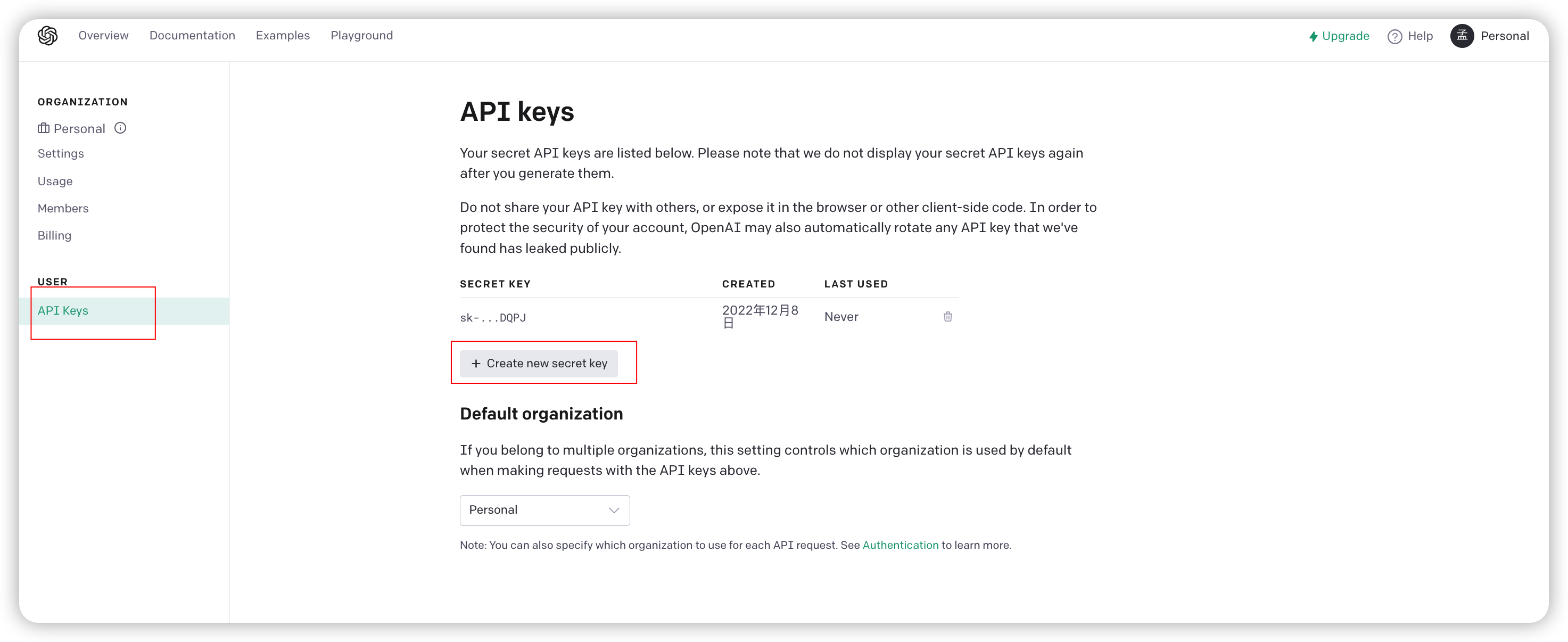
### 2.创建API Key
访问: [https://platform.openai.com/account/api-keys](https://platform.openai.com/account/api-keys?ref=lucent.blog)
### 3.修改配置
修改项目配置文件application.properties
```yaml
chatgpt.api-key=sk-xxxx
# 需要rscoket 交互就配置端口
spring.rsocket.server.port=18090
```
## 调用测试
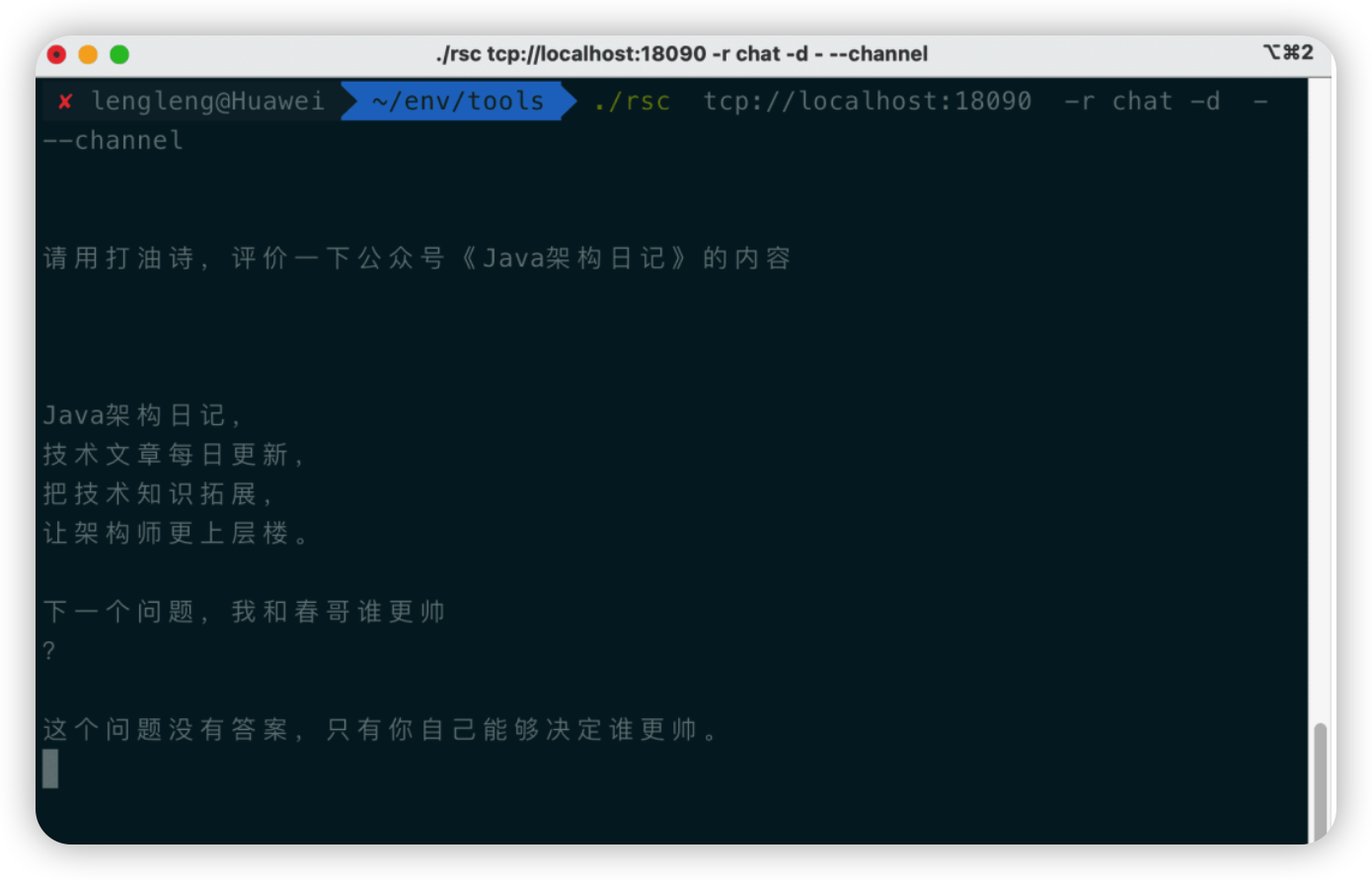
通过 rsc 客户端,我们可以非常方便的调试 RSocket (可以理解成 http postman 工具)
终端中输入:
```shell
./rsc tcp://localhost:18090 -r chat -d - --channel
```
## 高级用法
在任何你想用的地方注入 Bean ChatgptService,然后调用它的方法给 ChatGPT 发消息并获得回复
```java
@Autowired
private ChatgptService chatgptService;
public void test(){
String responseMessage = chatgptService.sendMessage("how are you");
System.out.print(responseMessage);
}
```
ChatgptService 有两个方法:
```java
//方法直接返回chatgpt的消息。
String sendMessage(String message);
//方法可自定义完整的请求参数和接收完整的api返回信息。
ChatResponse sendChatRequest(ChatRequest request);
```
这个 Bean 是@ConditionalOnMissingBean(ChatgptService.class)条件注入的,如有需要可自定义 ChatgptService,重写接口的相关方法覆盖掉默认的实现 DefaultChatgptService。