> ## Content Index
> Fetch the complete content index at: https://lucent.blog/llms.txt
> Use this file to discover other available public pages before exploring further.
# vue实现内嵌二维码微信登录
- URL: https://lucent.blog/vueshi-xian-nei-qian-er-wei-ma-wei-xin-deng-lu/
- Published: 2019-09-23T09:13:08.000Z
- Updated: 2026-08-21T00:49:55.000Z
- Author: Lucent
#### 前提
使用微信登录必须在[微信开放平台](https://open.weixin.qq.com/cgi-bin/index?t=home/index&lang=zh%5FCN&ref=lucent.blog)注册并完成开发者认证,创建应用完成后即可使用微信登录接口
登录后按如下进行创建:
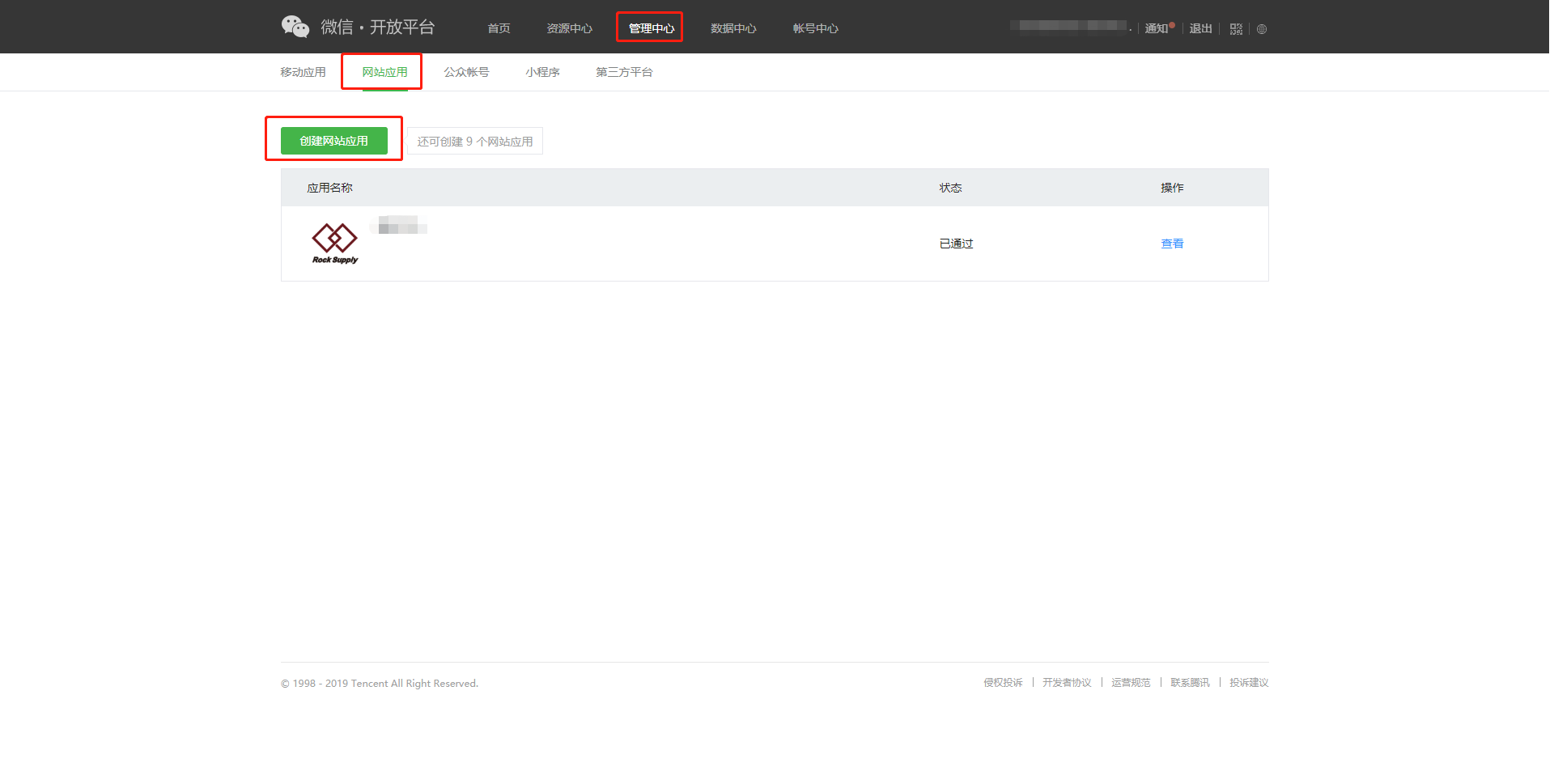
应用审核通过后即可查看appid
#### 在vue页面中使用微信内嵌二维码登录
首先在index.html中引入:
```javascript
```
代码:
```html
```
微信扫码并确认后,网页会重定向到上面设置好的链接,但是我们不让它直接重定向到相关页面:
```javascript
//通过路由守卫对请求进行处理
router.beforeEach((to, from, next) => {
//如果地址中包含code(微信扫码后返回用于换取用户信息的临时票据),则拦截并执行登录逻辑
if(window.location.href.indexOf('code')>=0){
//如果url中包含code,则保存到store中
let code = window.location.href.split("?")[1];
code = code.substring(5,code.indexOf('&'));
if (code!=null&&""!=code&&code!=undefined){
console.log("开始执行微信登录")
//向后台登录接口发送数据
request.post('auth/login', {
'code':code
}).then((r)=>{
//后端成功返回token则视为登录成功
if (r.token){
Message.success('登录成功!');
localStorage.setItem('token', r.token);
localStorage.setItem('user', JSON.stringify(r.admin));
console.log("登录成功")
//进入网站欢迎页
next('/');
}else {
Message.error('登录失败!');
}
})
}
}
//更多逻辑...
}
```
后端用于实现登录的相关代码(Java)示例:
```java
/**
* 用户登录
*
* @param Admin
* @return
*/
public LoginUser login(LoginUser admin) {
String url="https://api.weixin.qq.com/sns/oauth2/access_token?appid=开放平台查看&secret=开放平台查看&code="+admin.getCode()+"&grant_type=authorization_code";
Admin admin1= null;
LoginUser loginUser=new LoginUser();
JSONObject json=null;
try {
String msg= HttpUtil.sendGet(url);//用临时票据code向微信服务器换取用户信息
json= (JSONObject) JSONObject.parse(msg);
Map map = new HashMap<>();
map.put("unionid", json.getString("unionid"));
admin1=adminDao.selectByMap(map).get(0);//查询该用户的unionID是否在数据库中
} catch (Exception e) {
//发生异常则说明不在数据库中,返回相关数据给前端,前端负责提示该用户进行注册
e.printStackTrace();
admin1=new Admin();
admin1.setRoleid(2);
admin1.setOpenid(json.getString("openid"));
admin1.setUnionid(json.getString("unionid"));
loginUser.setAdmin(admin1);
return loginUser;
//throw new MyException("登录失败!");
}
if (admin1.getStatus()==0){
throw new MyException("您已被限制登录!");
}
//以上检查全部通过则说明用户可以登录,用相关工具类生成token返回给前端
loginUser.setAdmin(admin1);
//根据管理员代码和openid加密生成token
String token = JwtUtil.sign(admin1.getAdminCode(), admin1.getUnionid(),"web");
loginUser.setToken(token);
return loginUser;
}
```
以上即为Vue项目中使用微信登录的示例.